
12 Best IPTV Apps for Samsung & LG Smart TVs
In the ever-evolving landscape of digital entertainment, IPTV (Internet Protocol Television) has emerged as a popular alternative to traditional cable and satellite television. With IPTV, viewers can access a vast array of TV channels and on-demand content via the internet, offering a more flexible and personalized viewing experience.
For LG TV owners, the challenge often lies in selecting the best IPTV player app to enhance this experience. In this comprehensive guide, we will delve into the top IPTV player apps for LG TVs, highlighting their features, usability, and overall performance to help you make an informed decision.
Understanding IPTV and Its Benefits
Before we explore the best IPTV player apps for LG TV, it's important to understand what IPTV is and why it's gaining traction. IPTV delivers television content over the internet rather than through traditional terrestrial, satellite, or cable formats. This technology allows for streaming live TV and video on demand (VOD) services.
Key Benefits of IPTV:
- Flexibility: Watch your favorite shows anytime, anywhere, as long as you have an internet connection.
- Variety: Access to a wider range of channels and content from around the world.
- Cost-Effective: Often cheaper than traditional cable or satellite TV subscriptions.
- Customization: Personalize your viewing experience with features like catch-up TV, VOD, and interactive TV.
Top IPTV Player Apps for LG TV
1. Smart IPTV

Smart IPTV is one of the most popular IPTV player apps available for LG TVs. It offers a user-friendly interface and a wide range of features that make it a top choice for many users.
Features:
- Easy Setup: Setting up Smart IPTV on your LG TV is straightforward, with step-by-step instructions provided on their website.
- EPG (Electronic Program Guide): Provides a comprehensive guide for live TV channels, making it easy to navigate and find your favorite programs.
- Multiple Playlist Support: Allows users to manage multiple playlists, making it easy to organize and access different channels and content.
- Customization: Users can customize channel logos, EPG sources, and more to personalize their viewing experience.
Usability:
Smart IPTV is designed with simplicity in mind. Its intuitive interface ensures that even those who are not tech-savvy can navigate and use the app with ease. The app supports various streaming formats and offers reliable performance, making it a dependable choice for LG TV owners.
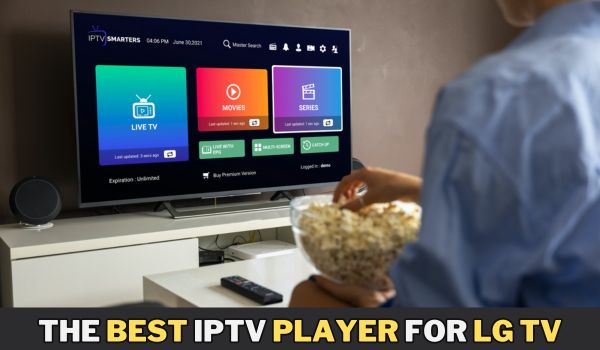
2. IPTV Smarters Pro

IPTV Smarters Pro is another highly regarded IPTV player app for LG TVs. Known for its sleek design and powerful features, this app provides a premium viewing experience.
Features:
- User-Friendly Interface: The app’s interface is clean and easy to navigate, with sections for live TV, movies, series, and catch-up TV.
- Multi-Screen Support: Watch multiple channels simultaneously on a split-screen, perfect for sports enthusiasts and multitaskers.
- Parental Control: Manage and restrict content to ensure a safe viewing environment for children.
- EPG Integration: Includes an electronic program guide for easy channel surfing and scheduling.
Usability:
IPTV Smarters Pro is designed for a seamless user experience. It supports multiple formats and offers high-quality streaming. The app also provides regular updates and customer support, ensuring that any issues are promptly addressed.
3. TiviMate

TiviMate is a powerful IPTV player app that is particularly popular among advanced users. It offers a range of features that cater to those who want more control over their IPTV experience.
Features:
- Advanced EPG: Provides a detailed electronic program guide with extensive customization options.
- Multiple Playlists: Supports multiple playlists, allowing users to organize their content efficiently.
- Customizable Interface: Personalize the look and feel of the app to suit your preferences.
- Catch-Up TV: Access previously aired programs with the catch-up TV feature.
Usability:
TiviMate is known for its robust performance and flexibility. While it may have a steeper learning curve compared to other apps, its extensive customization options and advanced features make it a favorite among power users.
4. SS IPTV

SS IPTV is a free IPTV player app that offers a range of features suitable for both beginners and advanced users. It is widely recognized for its versatility and ease of use.
Features:
- Free to Use: SS IPTV is completely free, making it an attractive option for budget-conscious users.
- Wide Format Support: Supports a variety of streaming formats, ensuring compatibility with different IPTV services.
- Flexible Settings: Customize your viewing experience with a range of settings and options.
- EPG Support: Includes an electronic program guide for easy navigation.
Usability:
SS IPTV is designed to be user-friendly and accessible to all. Its simple interface and easy setup process make it a great choice for those new to IPTV. Despite being free, the app offers reliable performance and a good range of features.
5. GSE Smart IPTV

GSE Smart IPTV is a comprehensive IPTV player app that is well-regarded for its powerful features and broad format support.
Features:
- Extensive Format Support: Supports multiple streaming formats including M3U, JSON, and Xtream-Codes API.
- Cross-Platform Compatibility: Available on multiple platforms including iOS, Android, and Smart TVs.
- EPG Guide: Provides a detailed electronic program guide for easy channel navigation.
- Parental Control: Offers features to manage and restrict content for safe viewing.
Usability:
GSE Smart IPTV is designed for flexibility and power. Its comprehensive feature set makes it suitable for both beginners and advanced users. The app is regularly updated and offers a stable and reliable viewing experience.
6. OttPlayer

OttPlayer is another great IPTV player app that offers a smooth and efficient user experience.
Features:
- Easy Setup: Simple installation and setup process.
- Multi-Device Support: Compatible with various devices including Smart TVs, smartphones, and tablets.
- Customizable Interface: Allows users to personalize the look and feel of the app.
- Cloud Synchronization: Syncs your settings and playlists across multiple devices.
Usability:
OttPlayer is known for its straightforward and intuitive interface. It offers a good balance of features and usability, making it an excellent choice for LG TV owners looking for a reliable IPTV player app.
7. Perfect Player IPTV

Perfect Player IPTV is a feature-rich IPTV player app that offers a highly customizable and efficient user experience.
Features:
- Advanced EPG: Detailed electronic program guide with extensive customization options.
- Multiple Playlist Support: Manage and switch between multiple playlists easily.
- Customizable Interface: Personalize the app’s interface to suit your preferences.
- Catch-Up TV: Access previously aired programs with the catch-up TV feature.
Usability:
Perfect Player IPTV is designed for users who want more control and customization options. Its extensive feature set and robust performance make it a top choice for power users.
8. XCIPTV Player

XCIPTV Player is a versatile IPTV player app that offers a range of features designed to enhance your viewing experience.
Features:
- User-Friendly Interface: Simple and intuitive design for easy navigation.
- Multi-Screen Support: Watch multiple channels simultaneously on a split-screen.
- EPG Integration: Includes an electronic program guide for easy channel navigation.
- Cloud Synchronization: Syncs your settings and playlists across multiple devices.
Usability:
XCIPTV Player is designed to be user-friendly and versatile. Its range of features and easy-to-use interface make it a great choice for LG TV owners.
9. IBO Player IPTV

IBO Player IPTV is a versatile and user-friendly IPTV (Internet Protocol Television) application designed to enhance your streaming experience. It enables users to watch a wide variety of live TV channels, movies, series, and on-demand content from around the globe. IBO Player IPTV is compatible with multiple devices, including Smart TVs, Android devices, and iOS devices, making it a convenient choice for users looking for seamless entertainment across various platforms.
Features:
- Extensive Format Support: Supports various streaming formats including M3U, XMLTV, and JTV.
- EPG Guide: Provides a detailed electronic program guide for easy channel navigation.
- Time-Shift: Allows you to pause and rewind live TV.
- Multi-Device Support: Compatible with multiple devices including Smart TVs, smartphones, and tablets.
Usability:
IBO Player IPTV is designed for power users who want more control over their IPTV experience. Its extensive feature set and robust performance make it a top choice for advanced users.
10. Simple IPTV

Simple IPTV is a lightweight and straightforward IPTV player app that offers a no-frills viewing experience.
Features:
- Easy Setup: Simple installation and setup process.
- User-Friendly Interface: Clean and intuitive design for easy navigation.
- EPG Support: Includes an electronic program guide for easy channel navigation.
- Multiple Playlist Support: Manage and switch between multiple playlists easily.
Usability:
Simple IPTV is designed for users who want a straightforward and easy-to-use IPTV player app. Its lightweight design and intuitive interface make it a great choice for beginners.
11. Kodi

Kodi is a powerful media player app that supports IPTV through various add-ons. Known for its versatility and extensive customization options, Kodi is a favorite among advanced users.
Features:
- Extensive Add-On Support: Access a wide range of add-ons for IPTV, movies, TV shows, and more.
- Customizable Interface: Personalize the look and feel of the app to suit your preferences.
- EPG Guide: Provides a detailed electronic program guide for easy channel navigation.
- Cross-Platform Compatibility: Available on multiple platforms including iOS, Android, and Smart TVs.
Usability:
Kodi is designed for power users who want extensive customization options and versatility. While it may have a steeper learning curve, its comprehensive feature set makes it a top choice for advanced users.
12. Lazy IPTV

Lazy IPTV is a user-friendly IPTV player app that offers a range of features for a seamless viewing experience.
Features:
- Easy Setup: Simple installation and setup process.
- Multiple Playlist Support: Manage and switch between multiple playlists easily.
- EPG Support: Includes an electronic program guide for easy channel navigation.
- Customizable Interface: Personalize the look and feel of the app to suit your preferences.
Usability:
Lazy IPTV is designed to be user-friendly and versatile. Its range of features and easy-to-use interface make it a great choice for LG TV owners.
How to Install IPTV Player Apps on LG TV?
Installing IPTV player apps on your LG TV is a straightforward process. Here’s a step-by-step guide to help you get started:
● Access the LG Content Store: Turn on your LG TV and navigate to the LG Content Store from the home screen.
● Search for the App: Use the search function to find the IPTV player app you want to install (e.g., Smart IPTV, IPTV Smarters Pro, TiviMate, SS IPTV, GSE Smart IPTV, OttPlayer, Perfect Player IPTV, XCIPTV Player, ProgTV, Simple IPTV, Kodi, Lazy IPTV).
● Download and Install: Select the app from the search results and click on the download/install button.
● Launch the App: Once installed, launch the app from your LG TV’s home screen.
● Set Up the App: Follow the on-screen instructions to set up the app. This typically involves entering your IPTV service provider’s details and uploading your playlist.
conclusion
Choosing the best IPTV player app for your LG TV depends on your specific needs and preferences. Smart IPTV, IPTV Smarters Pro, TiviMate, SS IPTV, GSE Smart IPTV, OttPlayer, Perfect Player IPTV, XCIPTV Player, ProgTV, Simple IPTV, Kodi, and Lazy IPTV are all excellent options, each offering unique features and advantages.
Whether you prioritize ease of use, advanced customization, or a budget-friendly solution, there is an IPTV player app that will enhance your viewing experience on your LG TV. By understanding the features and benefits of each app, you can make an informed decision and enjoy the full potential of IPTV on your LG TV. Happy streaming!
